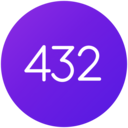

Best 432Hz Converters in 2026
There are more 432Hz converter tools available today than ever - free online converters, browser extensions, mobile apps, and desktop editors. But they differ significantly in how they work, what they support, and how they sound.
This guide breaks down each category honestly so you can pick the right tool for your situation.
What to Look for in a 432Hz Converter
Before comparing specific tools, it helps to understand what separates them:
- Real-time vs offline: Offline converters require you to upload a file, wait for processing, and download the result. Real-time tools convert audio during playback - no waiting, no extra files. Offline is simpler; real-time is more practical for daily listening.
- Algorithm quality: Pitch shifting is not trivial. Basic implementations use simplified processing that can produce audible artifacts - a metallic or "phasey" quality in sustained notes, smeared drum transients, and stereo imaging problems. High-quality algorithms use techniques like transient preservation and phase-locked processing, which require significant development investment. This is the biggest hidden variable between tools.
- Streaming support: File-based converters only work with files you own. Only browser extensions can pitch-shift DRM-protected streams from Spotify, YouTube, Apple Music, and similar services.
- Frequency range: Some tools only do 432Hz. More advanced ones also support 528Hz and the full Solfeggio spectrum (396Hz–963Hz), which matters if you want to experiment beyond a single frequency.
- Ongoing maintenance: Streaming services frequently update their platforms. Tools that are actively maintained adapt to these changes; abandoned tools eventually break.
Free Online Converters
These are web-based tools where you upload an audio file, the server processes it, and you download the converted version.
- 432hz-converter.com - Upload a file, convert to 432Hz, download the result. Simple and straightforward. Limited to one file at a time. No streaming support.
- 432-hz-converter.com - Similar upload-and-download approach. Also offers a desktop tool called MultiEsoCon for batch conversion of multiple files.
- conversion-tool.com - Basic online converter with a minimal interface.
Good for: Quick one-off conversions, testing the waters with 432Hz before committing to a dedicated tool. If you just want to hear one song in 432Hz to see if you notice a difference, these are the fastest way to try it.
Limitations: No streaming support - these only work with files you upload. Converting a full music library is impractical (one file at a time).
Converted files take up duplicate storage space. Algorithm quality varies between services, and there is limited transparency about what processing is applied.
Browser Extensions
Browser extensions convert audio in real-time as it plays in your browser - including DRM-protected streams from Spotify, YouTube, and other services.
- Free converter extensions - Several free extensions offer basic pitch shifting for web audio. These handle core 432Hz conversion but tend to have more limited frequency options and less ongoing development compared to maintained tools.
- 432 Player extension - Supports the full Solfeggio spectrum (396Hz–963Hz), works across Spotify, YouTube, Apple Music, Deezer, and Tidal. Actively maintained with regular updates as streaming platforms change. Offers a free trial, then a subscription that funds ongoing development and audio quality improvements.
The general pattern: free extensions cover the basics well. Extensions backed by ongoing development tend to handle edge cases better - platform API changes, audio quality across different genres and bitrates, and broader frequency support.
Both approaches have their place depending on your needs.
Mobile Apps
- 432 Player for Android - Plays local files and 30,000+ internet radio stations with real-time pitch shifting. Supports the full Solfeggio spectrum. Freemium model with core features free. An iOS version exists but is more limited in features.
- Various 432Hz player apps on Google Play - Several other apps offer basic 432Hz playback for local files. Feature sets, audio quality, and maintenance schedules vary widely. Worth trying a few to see which fits your workflow.
How to Choose
A practical framework based on how you actually listen:
- "Just want to try 432Hz?" → Use a free online converter. Upload a favourite song, listen, and decide if you hear a difference worth pursuing.
- "Want streaming support?" → You need a browser extension. This is the only way to pitch-shift Spotify, YouTube, and similar services.
- "Want it integrated into daily listening?" → A mobile app with local file support and radio gives the most seamless everyday experience.
- "Care about audio quality across genres?" → Look for tools with advanced algorithms and active development. On complex material - orchestral recordings, dense electronic mixes, acoustic instruments with rich overtones - the difference between basic and quality pitch shifting becomes clearly audible.
Free tools are genuinely useful for basic use. For listeners who make 432Hz part of their daily routine, tools with ongoing development investment tend to provide a better long-term experience - but the best starting point is always to try the free options first and see what matters to you.
Explore Further
Ready to hear the difference? Learn how to convert your music to 432Hz, or browse recommended tools for every platform.